Business User

Sign up. Sign in. Sign on.
It takes less than an hour to
Sign up for a free Webalo account,
Sign in to learn how it works, configure mobile access, and deploy so employees can
Sign on securely for bi-directional, transactional enterprise-to-mobile interactions on Android, Apple, Blackberry, and Windows smartphones and tablets.
The freedom of instant mobility... from Webalo.
TAKE A LOOK
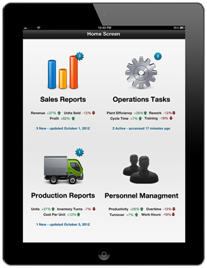
Rapid availability.
Webalo provides mobile access in minutes to IBM, Microsoft, Oracle, SAP, Salesforce.com, in-house custom built applications, and other vendors’ enterprise applications and data, letting IT (or a trained, department-level Webalo administrator) extend the analytics, KPIs, tasks, workflows you already rely on – on a desktop or laptop – and make them available on your smartphone or tablet. It’s more than passive information. Webalo can make it all “actionable” – giving you the power to take action on the spot: the same actions that used to be restricted to desktops and laptops.
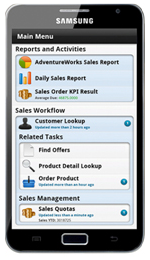
Familiarity.
Webalo relies on your Adroid, Apple, BlackBerry, and Windows smartphone’s or tablet’s native user interface (including Windows 8), so you already know how to navigate menus and select items that connect you to the enterprise. It’s like having shortcuts to all the tasks you currently (or want to) perform so you can work more productively. From anywhere. At any time.
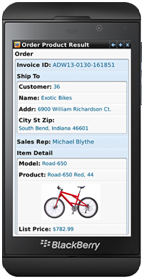
Individualization.
Lots of companies offer personalization (skins, themes, fonts, etc.), but Webalo permits your enterprise access to be tailored to your individual needs – just your analytics, your KPIs, your customers, your department, your tasks, and so on. You won’t have to navigate through options that meet your colleagues’ needs. Just yours. Your data. Your device.
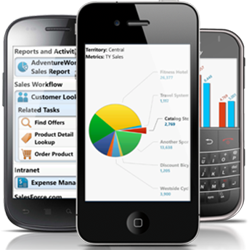
BYOD... safely.
Webalo will let you work offline with enterprise data and functions, but IT can set your connections to allow interactions only when you’re logged on. If they do, you won’t have any company data on your smartphone or tablet when you log off, but you also won’t put that data at risk of being stolen... or put your personal data at risk of being wiped. (But check with your IT department about other mobile policies and procedures that apply to non-Webalo apps.)

One source.
When you can access everything you need – securely – through Webalo’s single, universal client app, there’s no need to upload sensitive files to insecure cloud storage locations. No matter what you need to access, Webalo’s The App for Enterprise™ -- the only device-side app you need. It’s simpler for you and more reassuring for your boss and the company’s Chief Security Officer.


